Customizable lab reports: what you actually control
A customizable lab report template lets a lab control exactly what its reports look like and who they're built for: a technical lab report for the analytical detail an auditor needs, and a simplified customer report for the person who ordered the test, both generated from the same result. The lab sets its own logo, an optional partner logo, a customer-facing report name, and any supporting documents that should go out with it, without waiting on a developer to change any of it.
Every order produces a result your lab stands behind. What goes out afterward, as a document, is a different problem: an auditor wants the full technical detail, a client wants an answer they can act on, and building both by hand usually means someone reformats the same result twice, every order.
One result, two report formats
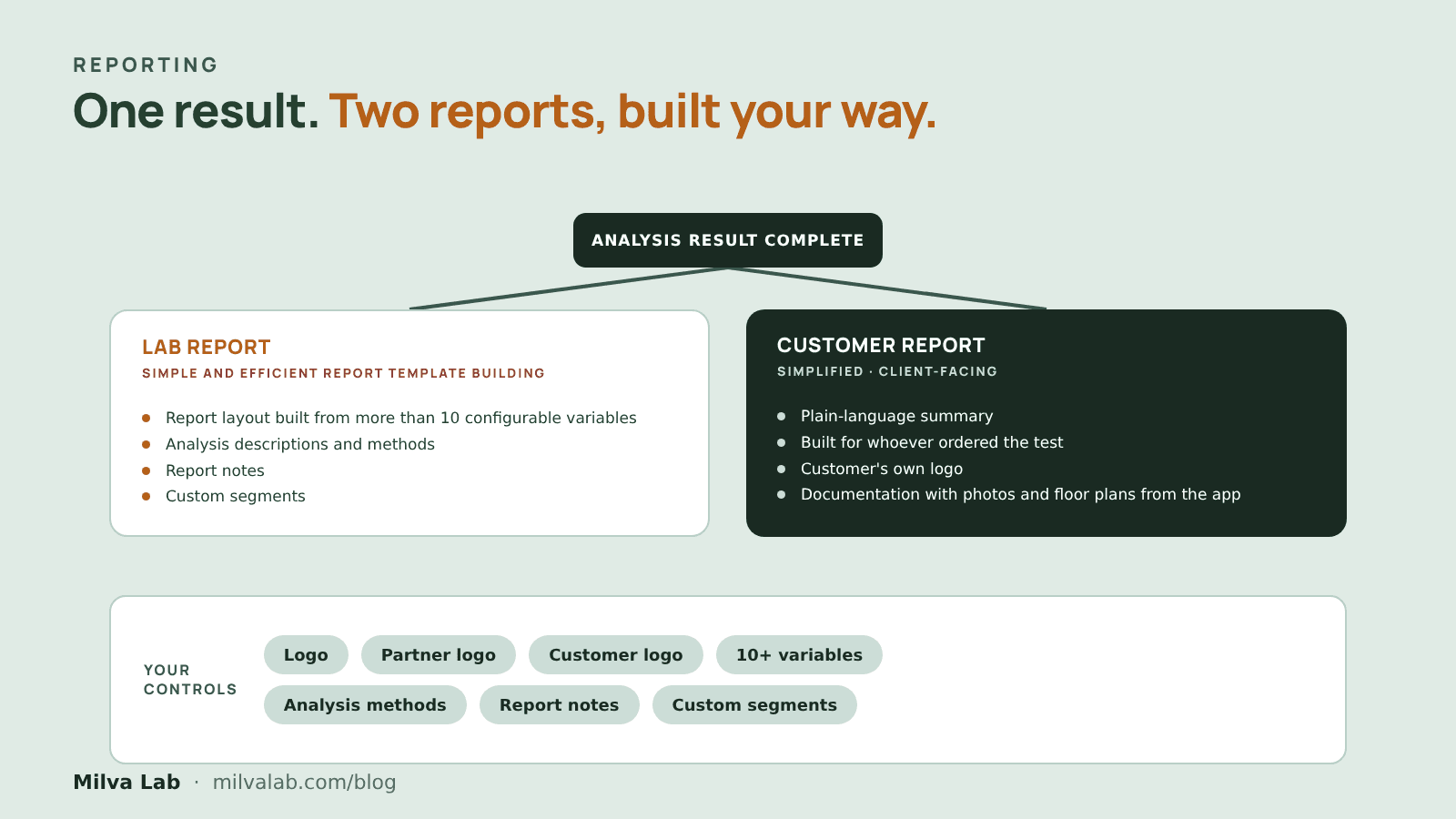
Milva Lab generates two reports per order from the same analysis data: a lab report, the full technical format with every method and QA note, and a customer report, a simplified format built for the person who ordered the test. A report only becomes available once every analysis linked to it is complete, so nothing goes out half-finished, and both reports draw on the same underlying result instead of two separately maintained documents.
What your lab actually controls
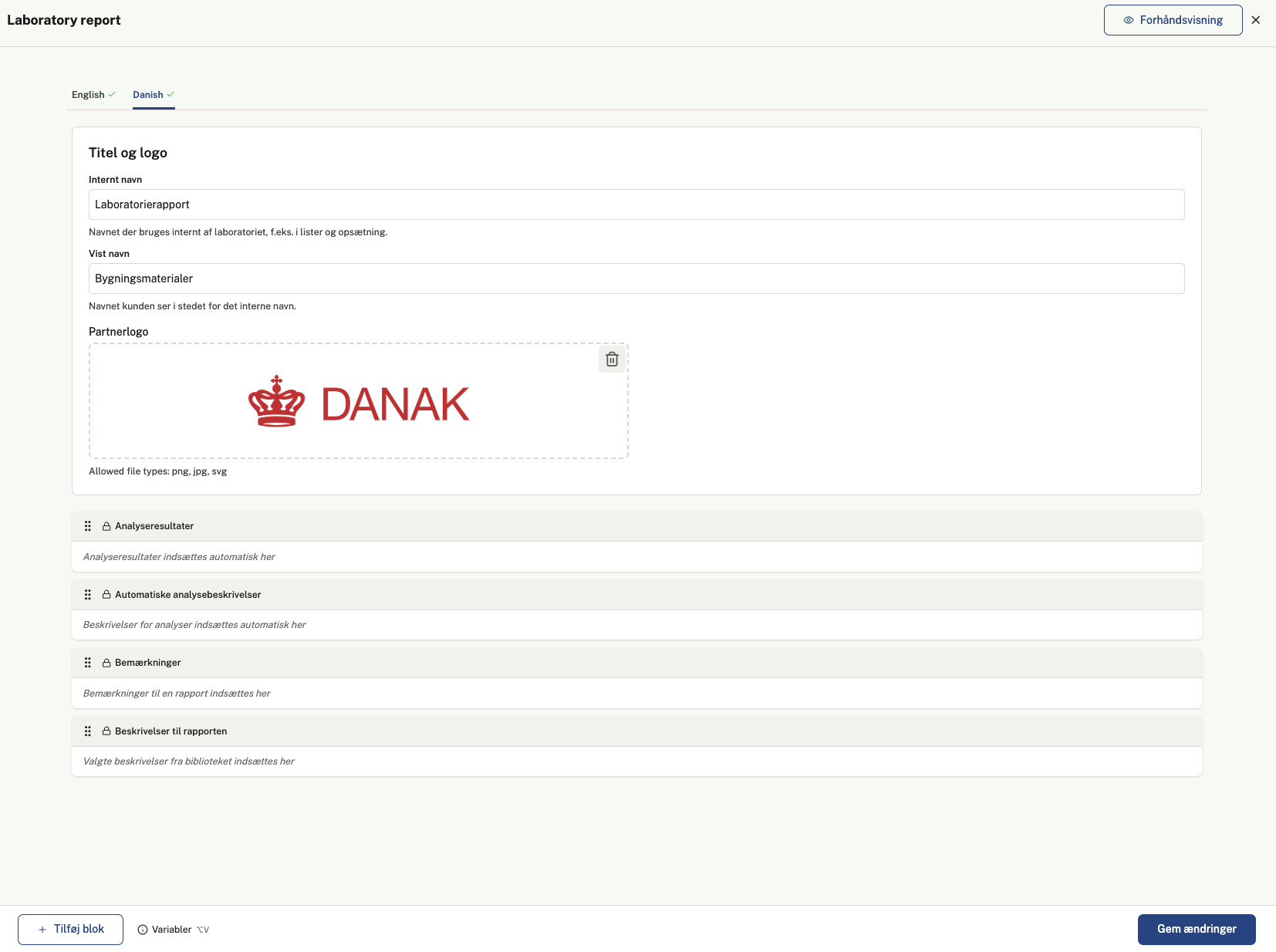
The templates behind both reports belong to the lab, not to a developer. Each one carries your own logo, and a template can carry a second partner logo alongside it, useful for an accreditation mark or a business partner's branding. The name a client sees on the finished report, and its PDF filename, can be set separately from whatever your team calls the template internally, so the document works for your naming and theirs. On top of that, each template controls its own layout, notes and attached descriptions.
- Your own logo
- A partner logo, for example an accreditation body like Danak
- A customer logo for the client that ordered the test
- Report layout built from more than 10 configurable variables
- Analysis descriptions and methods
- Report notes
- Custom segments
Supporting documents, attached automatically
Reports often need to travel with something else: an accreditation certificate, a method description, a standard disclaimer. Milva Lab lets a lab build a reusable library of these documents once, then attach specific ones to a report template so they go out with every matching report, or attach a one-off file to a single delivery. Nothing has to be found and reattached by hand for every order.
If nothing changes, every report still carries the same trade-off: one format that is too technical for a client or too thin for an auditor, assembled by hand each time. With templates the lab controls directly, both a technical lab report and a simplified customer report come out of the same result, carrying your own branding, your own naming and whatever supporting documents belong with them, every time.
Frequently asked questions
What's the difference between a lab report and a customer report?
A lab report is the technical format with full analytical detail, every method, QA note and result, for an auditor or your own records. A customer report is a simplified format built for the person who ordered the test. Both are generated from the same analysis results on an order, not kept as two separately maintained documents.
Can a lab customize how its reports look?
Yes. Each report template carries the lab's own logo, an optional partner logo and customer logo, a customer-facing report name that can be set separately from the template's internal name, and its own layout, with more than 10 configurable variables, analysis descriptions and methods, report notes, and custom segments.
Can a lab attach supporting documents, like an accreditation certificate, to its reports?
Yes, through a reusable library of PDFs that can be attached to a specific report template so they go out automatically with every matching report, or attached one-off to a single delivery.
Can you see what a report will look like before it's sent?
Yes. The template editor shows a live preview of the exact finished PDF as you edit it, including any unsaved changes, before anything is saved or sent.

Martin Mikkelsen
CCO, Milva Lab